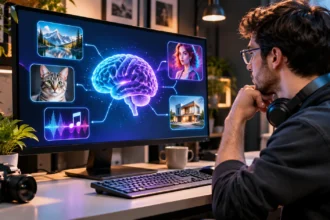

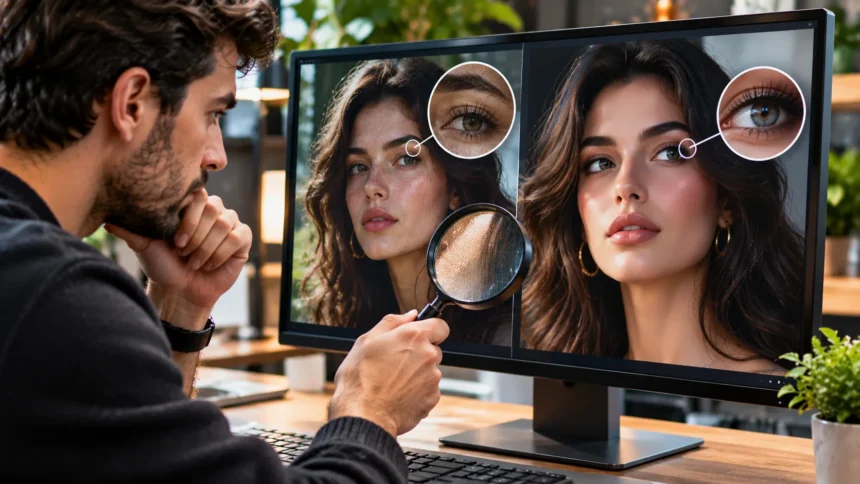
Artificial intelligence has made it easier than ever to create realistic pictures that look like professional photographs. From convincing human portraits to detailed landscapes and imaginary events, AI-generated images are becoming increasingly difficult to distinguish from authentic photographs. Learning how to detect AI-generated images online is an important digital literacy skill for anyone browsing websites, social media, or online news.
AI image generators can produce convincing visuals within seconds, sometimes making it difficult to determine whether a picture represents a real event. While many synthetic images are created for art, design, and entertainment, others may circulate with misleading descriptions. Understanding the warning signs can help you evaluate visual content more carefully.
This guide explains how to identify AI-generated photos through visual inspection, reverse image searches, metadata analysis, and image detection tools. You will also learn about common AI image mistakes, the limitations of automated detectors, and practical verification techniques. These methods can help you make better-informed judgments without assuming that every unusual photograph is fake.
What Are AI-Generated Images?
AI-generated images are pictures created or substantially altered using artificial intelligence systems. These systems learn patterns from training data and use those patterns to generate new visual content. Users can describe a desired scene, subject, or artistic style through a text prompt. The system then produces an image based on its learned visual representations and generation process.
Modern AI image generators can create portraits, illustrations, product scenes, architectural concepts, and photorealistic environments. Some tools can also modify existing photographs by adding, removing, or changing visual elements. These capabilities make artificial images useful for creative projects and digital communication. However, realistic results can sometimes create confusion about whether a pictured event actually happened.
Not every image involving artificial intelligence is entirely synthetic. A genuine photograph may contain AI-generated edits while preserving most of its original content. Other images may be created completely from text instructions. Understanding this difference is important because identifying artificial elements does not always mean that the entire picture is fabricated.
Why Detecting AI-Generated Images Matters
Identifying AI-generated images helps people evaluate the reliability of visual information they encounter online. Photographs often appear convincing because viewers associate them with real events and physical subjects. However, synthetic pictures may depict situations that never occurred. Recognizing this possibility encourages more careful interpretation of images shared without trustworthy context.
Misleading images can appear in social media posts, advertisements, online articles, and messaging platforms. A fabricated photograph might falsely suggest that a public event occurred or that a person visited a particular location. Even when the image is visually convincing, its accompanying description may be inaccurate. Verification helps prevent unsupported claims from spreading.
AI image detection is also useful for researchers, educators, journalists, and everyday internet users. Knowing how to assess visual evidence supports informed decision-making and responsible content sharing. However, identifying an image as AI-generated is not always possible through appearance alone. Reliable evaluation usually requires several types of evidence rather than one visual clue.
Look for Unusual Hands, Fingers, and Body Details
Hands and fingers have historically been useful areas to examine when checking potentially AI-generated images. Some synthetic pictures contain extra fingers, unusual finger connections, or inconsistent hand positions. These errors occur because complex anatomy and overlapping shapes can be difficult to reproduce accurately. However, modern generators have become much better at rendering realistic hands.
Look carefully at how the fingers connect to the palm and interact with nearby objects. Examine whether the wrist, elbow, and arm appear naturally connected. In group photographs, pay attention to overlapping body parts that may be difficult to interpret. Strange anatomy can raise questions, but unusual camera angles and motion blur can create similar effects.
Facial features may also contain inconsistencies, particularly in complicated scenes. Earrings might appear different, glasses may connect awkwardly, or facial details may look unusually distorted. However, asymmetry is completely normal in real people, and genuine photographs are not always perfect. Treat anatomical oddities as reasons to investigate further rather than automatic proof of artificial generation.
Examine Lighting, Shadows, and Reflections
Lighting provides important clues when evaluating the physical consistency of an image. In a real photograph, shadows and highlights generally follow the behavior of available light sources. Some AI-generated images contain conflicting shadow directions or illumination that seems inconsistent with the scene. These issues may be especially noticeable in photographs containing several objects.
Examine how light falls on faces, buildings, vehicles, and surrounding surfaces. If a person appears illuminated from one direction while nearby objects suggest another, the scene may deserve closer inspection. However, studio lighting, camera flash, and reflected light can create complicated effects. An unusual shadow does not automatically establish that an image was generated.
Reflections in mirrors, windows, and water can also reveal inconsistencies. A reflected object might appear distorted or differ from the original subject in unexpected ways. Modern image generators can reproduce many realistic reflections, so this method is not conclusive. Comparing several visual features provides a stronger basis for evaluation than relying on lighting alone.
Check Background Objects and Small Details
Background details can sometimes reveal problems that are less noticeable than the main subject. AI-generated images may contain unusual architectural structures, distorted furniture, or objects that blend together unexpectedly. These imperfections can appear in crowded environments containing many overlapping elements. Examining the entire scene may reveal inconsistencies that disappear when focusing only on the central subject.
Look closely at doors, windows, street signs, shelves, and repeated decorative objects. A staircase might connect awkwardly, or a background object may have an unusual shape. Repeated patterns sometimes change unexpectedly across a surface. However, real photographs can also contain visual distortions caused by perspective, compression, and camera processing.
Another useful approach is checking whether objects interact logically with their surroundings. A cup should rest naturally on a surface, while clothing should connect consistently around the body. Unusual intersections may indicate synthetic generation or digital editing. These clues are most useful when several independent inconsistencies appear within the same image.
Analyze Text, Logos, and Written Signs
Text inside images has traditionally been challenging for many AI image generators. Older systems frequently produced misspelled words, meaningless characters, or distorted lettering. Although modern generators can create considerably more accurate text, errors still occur. Examining visible writing may therefore help identify images that deserve additional verification.
Look at signs, product labels, clothing prints, posters, and other written details. Check whether the words are correctly spelled and whether lettering remains consistent across nearby surfaces. Some synthetic images contain text that looks convincing from a distance but becomes confusing when enlarged. These mistakes may be particularly noticeable in busy commercial environments.
However, incorrect lettering is not exclusive to artificial images. Real photographs may contain unusual fonts, foreign languages, printing mistakes, or blurred signs. Image editing and compression can also distort text. Accurate lettering does not prove authenticity, and inaccurate lettering does not conclusively prove AI generation. It is simply one potential clue among several.
Use Reverse Image Search to Verify Pictures
Reverse image searching is one of the most useful ways to investigate suspicious images online. Instead of entering keywords, you submit an image or use a visual search feature to locate similar pictures. This process may reveal earlier appearances, original sources, or alternative descriptions. It can provide useful context that visual inspection alone cannot establish.
Tools such as Google Lens and TinEye can help identify where similar images have appeared. Search results may show that a picture was previously published with a different caption or associated with an unrelated event. This can reveal misleading reuse of genuine photographs. It may also help locate pages that identify an image as AI-generated.
A missing reverse search result does not mean that an image is synthetic. New photographs, private images, and recently generated pictures may not appear in search indexes. Similarly, finding an image on a website does not automatically prove its authenticity. Evaluate the credibility of the source, publication context, and any supporting information before drawing conclusions.
Inspect Image Metadata and EXIF Information
Image metadata is information stored within or associated with a digital image file. Depending on how the file was created, metadata may include camera details, software information, timestamps, or editing history. Examining this information can sometimes provide clues about the image’s origin. However, metadata availability varies significantly between files and platforms.
Traditional photographs may contain EXIF data describing camera settings, lens information, and capture details. Some AI-generated images may include software identifiers or other information about their creation. Certain editing programs also record changes in file metadata. However, metadata can be modified, removed, or fabricated, so it should not be treated as definitive evidence.
Social media websites and messaging services frequently remove or alter metadata during uploading and processing. As a result, a genuine photograph may contain little useful information after being shared online. Missing camera metadata does not prove that an image is artificial. Metadata analysis is most valuable when combined with credible source information and other verification techniques.
Understand AI Watermarks and Content Credentials
Some AI image systems use visible or invisible mechanisms to indicate that content was generated or modified. Visible watermarks may include logos or labels placed directly on the picture. Other systems use embedded signals or structured provenance information. These approaches can help identify certain synthetic images when the relevant information remains intact.
Content Credentials, associated with the C2PA standard, provide a method for recording verifiable information about an image’s origin and editing history. Supported systems may include details about the tools used to create or modify content. Verification can help establish whether recorded provenance information has been altered. However, not every camera, editor, or AI generator supports this technology.
The absence of Content Credentials does not prove that an image is fake or authentic. Provenance information may be missing because the creator’s tools do not support it or because it was removed during processing. Even valid credentials require careful interpretation. They can help verify recorded history but cannot independently prove that every claim made about a picture is true.
Try AI Image Detection Tools Carefully
AI image detection tools use automated analysis to estimate whether a picture may have been generated by artificial intelligence. Some systems examine visual patterns, while others analyze technical features associated with image generation. These tools can provide useful signals during an investigation. However, their results are estimates rather than guaranteed determinations of authenticity.
Detection accuracy can vary depending on the image generator, editing methods, compression, and image quality. A detector may incorrectly label a real photograph as AI-generated or fail to recognize a convincing synthetic image. Cropping, screenshots, and repeated uploads can also affect performance. Results should therefore be interpreted cautiously, particularly when the original image file is unavailable.
Avoid relying on a single percentage or authenticity score when evaluating an important image. If a detector reports that a picture is likely synthetic, investigate its source and other available evidence. Consider whether the tool explains its limitations and whether it has been independently evaluated. Automated detection works best as supporting evidence rather than a final authority.
Investigate the Image Source and Original Context
Finding the source of an image can be more reliable than searching for visual imperfections. Begin by examining where the picture was first published and whether the account or website provides meaningful context. A credible source may include the photographer’s name, publication details, or supporting reporting. Missing information should encourage further investigation, especially when extraordinary claims are involved.
Compare the image’s caption with other available information about the claimed event. Look for independent reporting, additional photographs, or relevant eyewitness material from credible sources. If a dramatic picture appears only on anonymous accounts, its authenticity may remain uncertain. However, unfamiliar sources are not automatically dishonest, and established sources can also make mistakes.
Pay attention to whether the picture has been cropped, edited, or presented outside its original context. A genuine photograph can become misleading when paired with an inaccurate description. Reverse searching and checking publication history may reveal these changes. Establishing what an image actually represents is often more important than determining whether artificial intelligence was used.
Common Mistakes When Identifying AI Images
A common mistake is assuming that unusually smooth skin or dramatic lighting proves an image was generated by AI. Professional photography, makeup, retouching, and camera processing can produce similarly polished appearances. Modern smartphones also use computational techniques to improve photographs automatically. Visual perfection is therefore not a reliable indicator of synthetic content.
Another mistake is trusting AI detection software without considering the possibility of false results. Automated systems may produce confident classifications even when their evidence is uncertain. Different detectors can also disagree about the same image. Treating these scores as definitive may lead to inaccurate accusations about authentic photographs or mistaken acceptance of artificial content.
People may also overlook the difference between AI generation and ordinary digital editing. An image could be a genuine photograph with a digitally replaced background or altered object. Another might be entirely synthetic but carefully designed to resemble documentary photography. Identifying the degree and purpose of manipulation requires more evidence than a simple real-or-fake label.
How to Verify AI-Generated Images Step by Step
Start by examining the overall image for physical inconsistencies, including unusual anatomy, lighting, reflections, text, and background details. Consider whether the scene appears logically consistent. Avoid making a final judgment based on a single imperfection. Real photographs can contain unusual visual effects, while sophisticated artificial images may appear almost flawless.
Next, investigate the image’s origin through reverse image searches and available publication information. If you have the original file, inspect relevant metadata and any supported provenance credentials. Compare the image with independent evidence when it claims to document a real event. These steps can help distinguish misleading captions, edited photographs, and potentially synthetic pictures.
Finally, consider automated AI detection tools as an additional source of information rather than your only method. Compare their findings with the available visual and contextual evidence. If the results remain unclear, describe the image as unverified instead of claiming certainty. A careful verification process emphasizes evidence, source credibility, and appropriate levels of confidence.
Conclusion
Learning how to detect AI-generated images online has become an important skill as artificial intelligence continues to produce increasingly realistic visual content. Details involving hands, reflections, backgrounds, and written text may provide useful warning signs. However, visual inspection alone cannot reliably identify every synthetic image, particularly as generation technology improves.
Reverse image searches, metadata examination, Content Credentials, and automated detection tools can provide additional information about an image’s origin. Each method has limitations, making it important to compare multiple sources of evidence. Investigating the original publication and checking whether captions match reliable information are especially valuable verification practices.
The most effective approach is to remain curious, cautious, and open to uncertainty. Avoid treating unusual visual details as automatic proof of deception or trusting a detector simply because it provides a confident score. By combining technical checks with careful source evaluation, you can make better-informed decisions about the images you encounter online.
Frequently Asked Questions
How Can You Tell if an Image Is AI-Generated?
Examine unusual anatomy, inconsistent lighting, distorted text, and background details. Combine these observations with reverse image searches, source verification, and available provenance information for a more reliable assessment.
Can AI Image Detectors Accurately Identify Fake Pictures?
AI image detectors can provide useful estimates, but they are not completely reliable. False positives and missed detections occur, especially with edited, compressed, or highly realistic images.
Does Removing Metadata Mean an Image Is AI-Generated?
No, missing metadata does not prove an image was created by AI. Social media platforms, image editors, and messaging services often remove metadata from genuine photographs.
Can Google Lens Detect AI-Generated Images?
Google Lens can help find similar images and identify possible sources. However, reverse image search alone cannot reliably determine whether a picture was generated using artificial intelligence.
Are AI-Generated Images Always Easy to Recognize?
No, modern AI-generated images can look extremely realistic and may contain few visible mistakes. Reliable evaluation often requires examining the source, image history, technical information, and supporting evidence.