

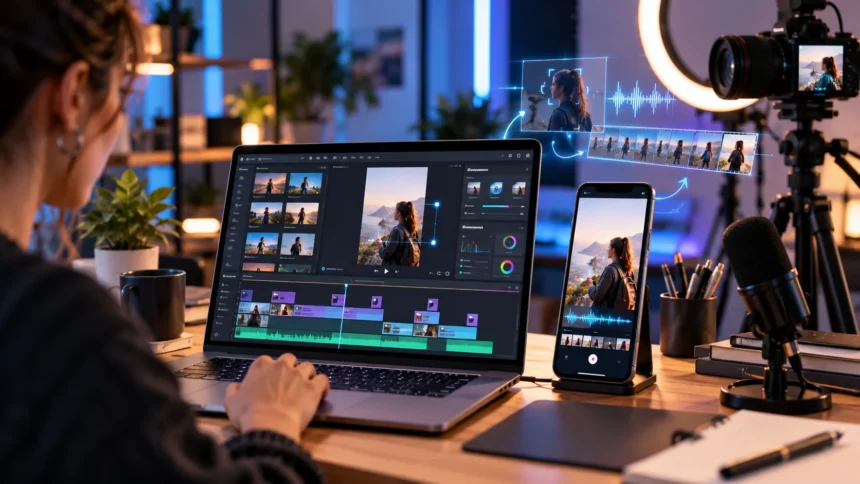
Creating engaging short videos has become an important part of digital marketing, social media growth, and online content creation. Businesses, influencers, and content creators regularly publish short videos to attract audiences and communicate ideas quickly. However, producing high-quality videos can require considerable time, creativity, and editing experience, especially when managing multiple social media platforms.
Artificial intelligence has introduced new ways to simplify video production by automating repetitive tasks and supporting creative workflows. Modern AI video tools can generate visual clips from text prompts, add captions, edit existing footage, and transform longer recordings into shorter videos. These capabilities make video creation more accessible to beginners and experienced professionals.
Whether you want to create Instagram Reels, YouTube Shorts, TikTok videos, or promotional content, choosing suitable software can improve your workflow. This guide explores the best AI tools for creating short videos, their features, benefits, limitations, and practical applications for different types of creators.
What Are AI Tools for Creating Short Videos?
AI tools for creating short videos are software applications that use artificial intelligence to generate, edit, or improve video content. Some platforms create original footage from written descriptions, while others automatically edit existing recordings. These technologies help creators produce visual content without completing every stage of traditional video production manually.
Many AI-powered video platforms offer features such as automatic caption generation, background removal, voiceovers, scene detection, and intelligent video trimming. Certain tools can also transform images into moving scenes or generate short clips from simple text prompts. Their capabilities vary considerably depending on the underlying technology and the type of video being produced.
These tools are especially useful for social media creators who publish content regularly across different platforms. Instead of spending hours on repetitive editing tasks, users can focus more attention on storytelling and audience engagement. However, AI-generated results still require human review to maintain accuracy, visual quality, and consistency with the intended message.
1. Runway – Best for Cinematic AI Video Generation
Runway is an advanced AI video generation platform designed for creators who want to produce original visual content. It supports workflows involving text prompts, reference images, and existing video clips. Its generative models can create realistic motion, cinematic scenes, and imaginative visual sequences that can be incorporated into short-form content.
One of Runway’s notable capabilities is generating new scenes while maintaining visual consistency across certain characters, objects, and environments. The platform also provides AI-powered editing features for modifying existing footage. These capabilities make it useful for promotional videos, creative storytelling, product demonstrations, and visually engaging social media content.
Runway is particularly suitable for marketers, filmmakers, designers, and content creators who prioritize creative control and visual quality. However, generating complex scenes may require experimentation with prompts and multiple revisions. Users should also compare subscription plans, generation credits, and export options before choosing a workflow for regular video production.
2. Pika – Best for Creative Short Video Effects
Pika is an AI-powered video creation platform that focuses on generating imaginative visual clips and applying creative transformations. It is designed for users who want to experiment with visual storytelling without relying entirely on conventional filming techniques. The platform can be useful for producing short animations, stylized scenes, and attention-grabbing video concepts.
Creators can explore AI-generated motion and visual effects to develop content with distinctive appearances. Depending on the available model and features, Pika supports workflows involving prompts and reference visuals. These options can help content creators develop entertaining clips, animated concepts, and experimental footage for different social media formats.
Pika may appeal to beginners who enjoy testing unusual visual ideas and creators who want short generated scenes. However, results can vary depending on prompt quality, scene complexity, and the model being used. Reviewing video consistency and current usage limits is important before incorporating generated footage into professional projects.
3. CapCut – Best for Editing Social Media Shorts
CapCut is a popular video editing application that includes AI-assisted tools for creating and improving short-form content. It is widely used for editing vertical videos, adding captions, adjusting visual elements, and preparing clips for social platforms. Its editing environment combines familiar timeline controls with automated features that simplify common production tasks.
Automatic captions are particularly useful for creators who produce educational videos, interviews, and spoken explanations. Depending on the version and available features, CapCut also offers background removal, templates, audio tools, and other AI-assisted editing capabilities. These features can help users create polished videos without managing every visual adjustment manually.
CapCut is suitable for beginners, social media managers, and creators who frequently publish TikTok videos, Instagram Reels, or YouTube Shorts. Its practical editing features make it useful for refining existing recordings rather than focusing exclusively on generating new footage. Availability, pricing, and supported AI features can vary by region and subscription.
4. Canva – Best for Beginners and Marketing Videos
Canva is a visual design platform that combines video editing, templates, and AI-powered content creation features. Its accessible interface allows users to develop short videos using graphics, images, text, animations, and existing footage. Canva also offers AI video generation capabilities that can turn written prompts into short visual clips.
One advantage of Canva is its integration of video tools with broader design resources. Businesses can create promotional videos while maintaining consistent brand colors, typography, and visual styles. This approach is useful for marketing teams that produce social media graphics, advertisements, presentations, and short videos within the same design environment.
Canva is especially suitable for beginners, small businesses, educators, and social media marketers who prefer straightforward editing workflows. Its templates can reduce the time required to organize content and create attractive layouts. However, advanced video production tasks may require specialized editing software, and certain AI capabilities depend on the selected plan.
5. InVideo AI – Best for Turning Scripts Into Videos
InVideo AI is designed to help creators transform written ideas into video content with less manual editing. It supports workflows involving text instructions, scripts, visual assets, and narration. This makes it particularly useful for producing explanatory content, promotional videos, and social media clips without recording every scene from scratch.
The platform can assist with organizing video sequences, selecting supporting visuals, and developing narration-based presentations. Instead of manually assembling every component, users can provide instructions describing their intended topic and style. AI-assisted generation then creates a starting point that can be reviewed and refined to improve accuracy and presentation.
InVideo AI is useful for marketers, educators, and creators who develop informational videos from existing written content. It can also support businesses that want to repurpose blog articles or marketing messages into visual formats. However, automatically selected footage and generated narration should be reviewed carefully before publishing to ensure they match the intended message.
6. OpusClip – Best for Turning Long Videos Into Shorts
OpusClip is an AI-powered video editing platform designed to transform longer recordings into shorter clips. It analyzes existing content and helps identify segments suitable for short-form video platforms. This approach is particularly useful for creators who produce podcasts, interviews, webinars, educational presentations, and other long-form video content.
The platform includes AI-assisted clipping, automatic captions, and video reframing features. These tools help adapt longer recordings into formats suitable for vertical viewing on social media. Instead of manually reviewing every minute of footage, creators can use automated suggestions to identify promising sections and organize their editing workflow.
OpusClip is especially valuable for content teams that want to repurpose existing recordings across multiple channels. However, automated clipping cannot always understand the full context or intended meaning of a conversation. Creators should review selected clips to confirm that statements remain accurate, understandable, and appropriate when separated from the original recording.
7. Adobe Firefly – Best for AI-Generated Video Scenes
Adobe Firefly is a generative AI platform that supports video creation from text descriptions and reference images. Its video generation tools help users produce motion graphics, visual sequences, product animations, and cinematic supporting footage. These capabilities are useful when creators need original visuals that would otherwise require filming or complex animation.
Firefly allows creators to experiment with visual details such as camera movement, framing, and scene appearance. It can also support image-to-video workflows that introduce motion into existing visual assets. These features make the platform attractive for advertising concepts, product presentations, visual storytelling, and short promotional videos.
Adobe Firefly may be particularly useful for designers and marketing professionals already familiar with Adobe’s creative ecosystem. The Firefly Video Model is designed with commercial creative work in mind, although usage rights depend on the specific model and content involved. Users should review licensing conditions and available generation credits before producing client projects.
8. Descript – Best for Talking-Head and Educational Videos
Descript is an AI-assisted video and audio editing platform that offers an alternative to traditional timeline-based editing. One of its distinguishing features is the ability to edit spoken recordings through their transcripts. This approach can simplify removing unnecessary dialogue and reorganizing footage for short educational or promotional videos.
Descript includes tools for transcription, audio improvement, captions, and AI-assisted editing workflows. Creators can work with recorded interviews, presentations, tutorials, and talking-head videos while making changes through text. These features are especially useful when spoken explanations form the main part of the content rather than complex visual effects.
The platform appeals to educators, podcast creators, business professionals, and marketers who regularly produce information-focused videos. It can reduce repetitive editing work and support a more organized production process. However, automatically generated transcripts and edited segments should be checked carefully because speech recognition and AI suggestions are not always accurate.
How to Choose the Best AI Video Creation Tool
Choosing suitable AI video software begins with understanding the type of content you want to produce. Text-to-video generators are useful for creating original visual scenes, while AI editing tools are better suited to improving existing footage. Platforms that specialize in clipping longer recordings serve a different purpose from those designed for cinematic generation.
Ease of use is another important consideration, especially for beginners with limited video editing experience. A straightforward interface, useful templates, and accessible editing controls can make content production more manageable. Advanced creators may prefer software that offers greater control over scene composition, video timing, effects, and output quality.
Budget and publishing requirements should also influence the final decision. Compare subscription costs, AI generation credits, export resolution, watermarks, and commercial usage terms. The best tool is not necessarily the one with the most features, but the platform that supports your content goals without introducing unnecessary complexity or expense.
How to Create Short Videos Using AI
Creating short videos with AI begins with identifying a clear topic and the audience you want to reach. An educational clip might explain one useful concept, while a promotional video may highlight a specific product benefit. Developing a focused message makes it easier to choose relevant visuals, narration, and editing techniques.
Next, select an AI tool based on your available material and preferred production method. Text-to-video platforms can generate original scenes from descriptions, while editing applications can organize recorded footage into shorter sequences. For most vertical social media videos, a 9:16 aspect ratio provides a practical starting point, although platform requirements should be checked.
After creating the initial video, review its accuracy, clarity, pacing, and visual consistency. Check captions for errors and confirm that any generated imagery supports the intended message. A final human review is especially important when videos include factual claims, recognizable individuals, brand assets, or information that viewers may interpret as authentic footage.
Tips for Making Engaging AI Short Videos
Effective short videos usually communicate one main idea rather than introducing too many unrelated topics. A clear opening helps viewers understand the subject, while focused visuals support the message. AI tools can assist with production, but thoughtful storytelling remains important for creating content that audiences find genuinely useful.
Captions can improve accessibility and help viewers follow spoken information in environments where audio is unavailable. Clear framing, readable text, and consistent visual pacing also contribute to a comfortable viewing experience. Avoid overwhelming the audience with excessive transitions, distracting effects, or rapidly changing visuals that make the information difficult to understand.
Authenticity is another important factor when using AI-generated content. Creators should avoid presenting fabricated events, synthetic endorsements, or altered statements as genuine recordings. Using original ideas, verifying factual information, and respecting copyright and privacy helps maintain audience trust while taking advantage of AI-assisted production tools.
Conclusion
AI video creation tools have made short-form content production more accessible to businesses, marketers, educators, and independent creators. Platforms such as Runway, Pika, CapCut, Canva, InVideo AI, OpusClip, Adobe Firefly, and Descript offer different approaches to generating, editing, and repurposing video content. Each platform has strengths depending on the intended workflow.
Choosing the best AI tools for creating short videos requires evaluating your content needs, editing experience, and available budget. Some tools excel at producing cinematic visuals, while others simplify captions, narration, templates, or short-form clipping. Understanding these differences helps creators select software that supports their goals without relying on unnecessary features.
Artificial intelligence can make video production more efficient, but it does not replace thoughtful planning, creativity, and quality control. Clear messages, relevant visuals, accurate information, and responsible editing remain essential for successful short-form content. Combining these principles with suitable AI tools can help creators produce engaging videos for different online platforms.
Frequently Asked Questions
What are the best AI tools for creating short videos?
Popular AI tools for creating short videos include Runway, Pika, CapCut, Canva, InVideo AI, OpusClip, Adobe Firefly, and Descript. The best choice depends on whether you need video generation, editing, captions, or repurposing.
Can AI create short videos from text?
Yes, certain AI video generators can create short visual clips from written descriptions. Platforms such as Runway and Adobe Firefly support text-to-video workflows, although results may require additional editing and review.
Are there free AI tools for creating short videos?
Some platforms provide free editing features, trials, or limited AI generation credits. However, advanced features, higher-quality exports, and additional processing may require paid subscriptions, depending on the service.
Which AI tool is best for YouTube Shorts?
CapCut is useful for editing YouTube Shorts, while OpusClip can help convert longer recordings into shorter clips. Canva is another option for creators who prefer templates and straightforward visual editing.
Can AI tools create professional-quality short videos?
AI tools can support professional-looking short videos through generated visuals, editing assistance, captions, and audio improvements. However, the final quality depends on source material, creative direction, accurate information, and careful human review.